|

Automate Your Center's Time & Attendance
for Your Employees & Children
| A perfect compliment to Childcare Manager. Automate your attendance records for employees and children. Time Manager allows you to know immediately when a child or employee arrives at or leaves your center. This information is conveniently displayed in the Childcare Manager's Child & Employee QuickViews, child attendance records, and employee timesheets. Time Manager is as easy to install as it is to use. Setting up takes less than 5 minutes.
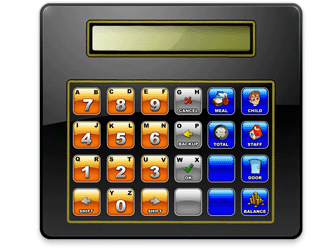
In addition to tracking time, parents can check their balances, and employees can check their hours worked. You can track who clocked a child in or out. You can enhance security and give your parents peace of mind by using Time Manager to open/close a secure electronic door with valid access codes.
|
Guaranteed Performance
Easy to Use Time & Attendance
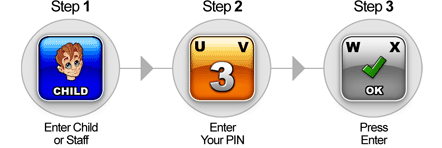
Keep an accurate record of child attendance and employee time. With Time Manager, recording child and employee times is as simple as 1-2-3. Nothing could be easier.
|
No More Handwritten Sign In/Out Sheets
Eliminate the need for handwritten sign-in and out sheets. Time Manager’s child validation option allows you to keep track of who clocks a child in or out.
|

Additional Features
Parent Balances - Parents can check their outstanding balance using Time Manager’s Balance Function.
Employee Times - Employees can easily check their work hours for the day or week using Time Manager’s hour function.
Rounding - Choose from several time rounding options. For example, round up or down in 6 minute increments for payroll (1/10th of an hour.)
PIN Masking - Choose to display PIN numbers or asterisks in terminal display.
Employee Clock-in/out Controls - Employee controls restrict the time an employee is clocked in or out.
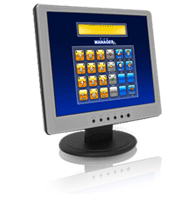
Virtual TimeKlock - Time Manager comes with a virtual terminal that can display on your computer and used to perform the same functions as a timeklock. Custom templates are also available!
Classroom Tracking - Use Time Manager’s classroom option to clock children and employees into classrooms.
Customize User Prompts - Use Time Manager's display prompts or create your own.
Full Feature List Click Here...
|

Increase Your Security
Give your parents the added comfort of knowing their children are being cared for in a facility with controlled access. TimeKlock is available with an optional two trigger vdc relay. Each relay can be used as a door lock trigger to operate an electric door strike, or any other 12vdc appliance such as a light, bell or buzzer.
|
Proven Design
When using TimeKlock you can be sure that you are using the most reliable terminal on the market today. Tens of thousands of these units are in use throughout the United States. The Time Manager terminal comes in a highly durable light weight aluminum case and uses keys that are rated at ten million clicks each. Time Manager is capable of withstanding the most rigorous demands of today’s busy childcare operations and is designed to give many years of maintenance free operation.
|
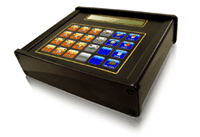
TimeKlock Indoor (USB)
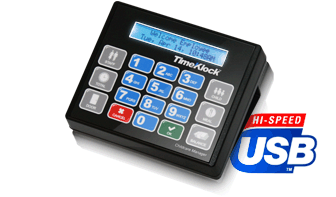
Our newly designed TimeKlock terminal has been enhanced by switching out the serial port with a USB port. This allow's for an easy, one plug installation. You no longer need an AC adapter for power. Everything goes through your USB connection. In addition, we have added a crisp blue backlit LCD screen.
|
TimeKlock Indoor (Serial)
Our standard TimeKlock terminal has been satisfying customers for over 20 years. With an aluminum casing, TimeKlock can withstand some of the most rigorous uses in a center. It comes equipped with a standard serial port connection with the ability to convert to USB (adapter sold separately). |
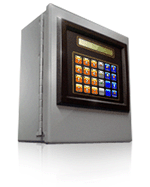
TimeKlock Outdoor
The outdoor terminal is encased in a sturdy, industrial quality, weather proofed metal case that can be used in most outdoor applications.
|
 |
|